


Collect reviews via QR code
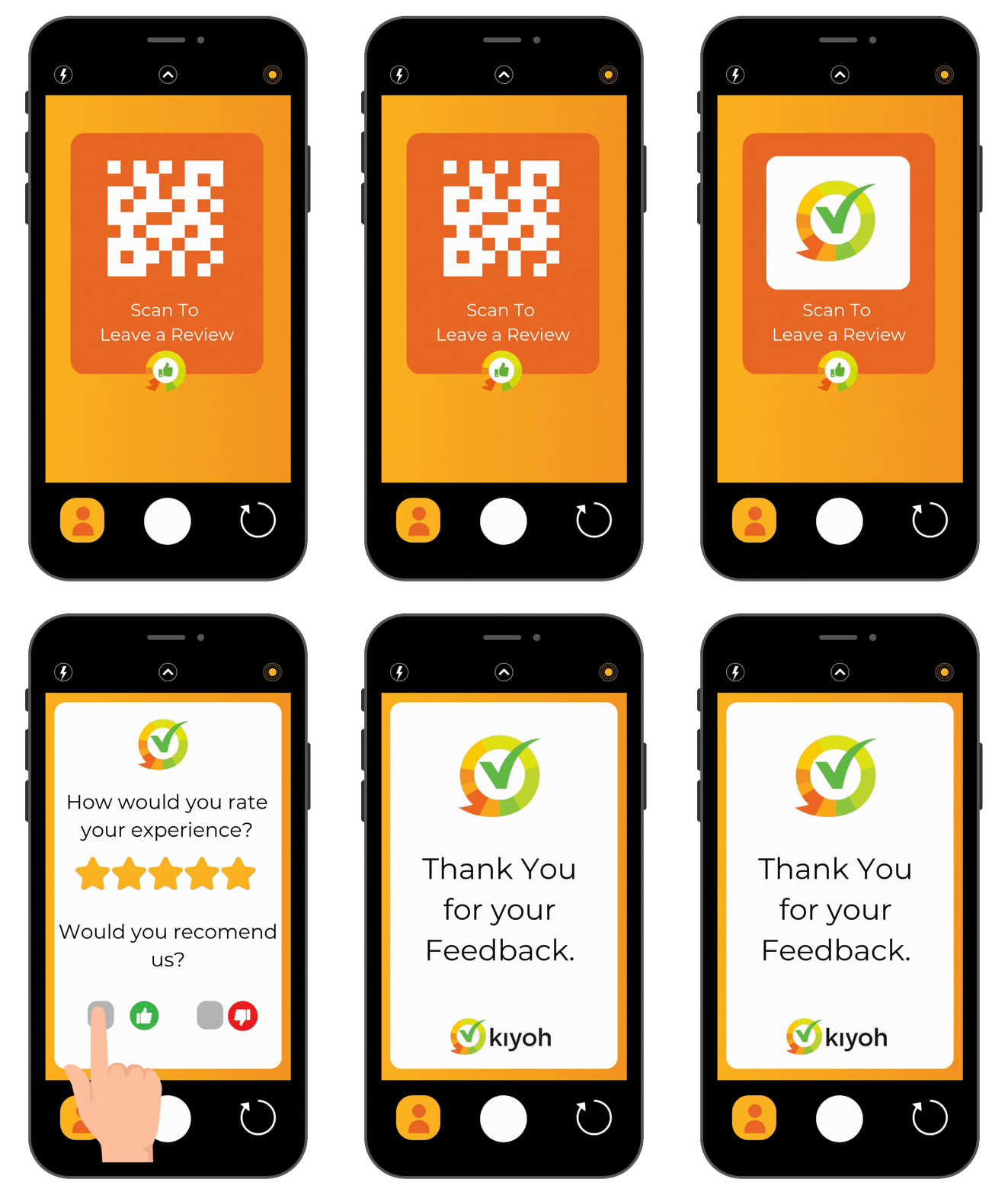
Besides email, there are other ways to request reviews from your customers. With a personalized QR code, customers scan and are taken directly to the questionnaire to quickly leave a review. Ideal if you don't have email addresses.
Collect reviews in 3 steps via QR code
How do you get a QR code? Very simple. Call or email us and we will provide a personalized QR code so you can get started quickly.
- Request your QR code — contact us and we will create a personalized QR code that leads directly to your questionnaire.
- Place the QR code — print the code on receipts, business cards, packaging, or hang a poster in your store.
- Customers scan and review — customers scan with their phone and leave a review within seconds.
Who is the QR code for?
The QR code is perfect for businesses that meet customers in person but do not collect email addresses. Think of:
- Physical stores and showrooms
- Hospitality and restaurants
- Hairdressers, beauty salons, and service providers
- Garages and repair companies
- Events and trade shows
- Waiting rooms at doctors, dentists, and consultants

How was your experience?
Scan the QR code and let us know
Average 9.4/10
Combine with other Kiyoh features
The QR code works seamlessly with other ways to collect reviews. Use multiple channels simultaneously for maximum coverage. All collection channels come together in your Kiyoh dashboard. One overview, regardless of how the review was received.
Easy Click Module
Customers give a score directly in the email. +11% higher response.
NFC Stand
Collect reviews contactlessly on-site with an NFC stand.
Personal invitation link
Share your review link via WhatsApp, SMS, or any other channel.
Auto Collect (BCC)
Automatically send review requests via a BCC copy of your emails.
More offline promotional materials?
In addition to the QR code, Kiyoh also offers business cards, NFC stands, and review cards. Display your review score offline in your store, showroom, or waiting room.
Ready to collect reviews via QR code?
Contact us and we will provide a personalized QR code so you can get started quickly.